
Serving Durban since 2012 · Open daily 07:00–18:00 · Call or WhatsApp 079976 2941

Samsung appliance repairs · Ballito

Samsung Appliance Repairs Ballito

Samsung appliances often display an error code when a sensor, drainage, door, cooling or control condition is outside range. We use the exact code together with the physical symptom rather than replacing electronic parts from the code alone.

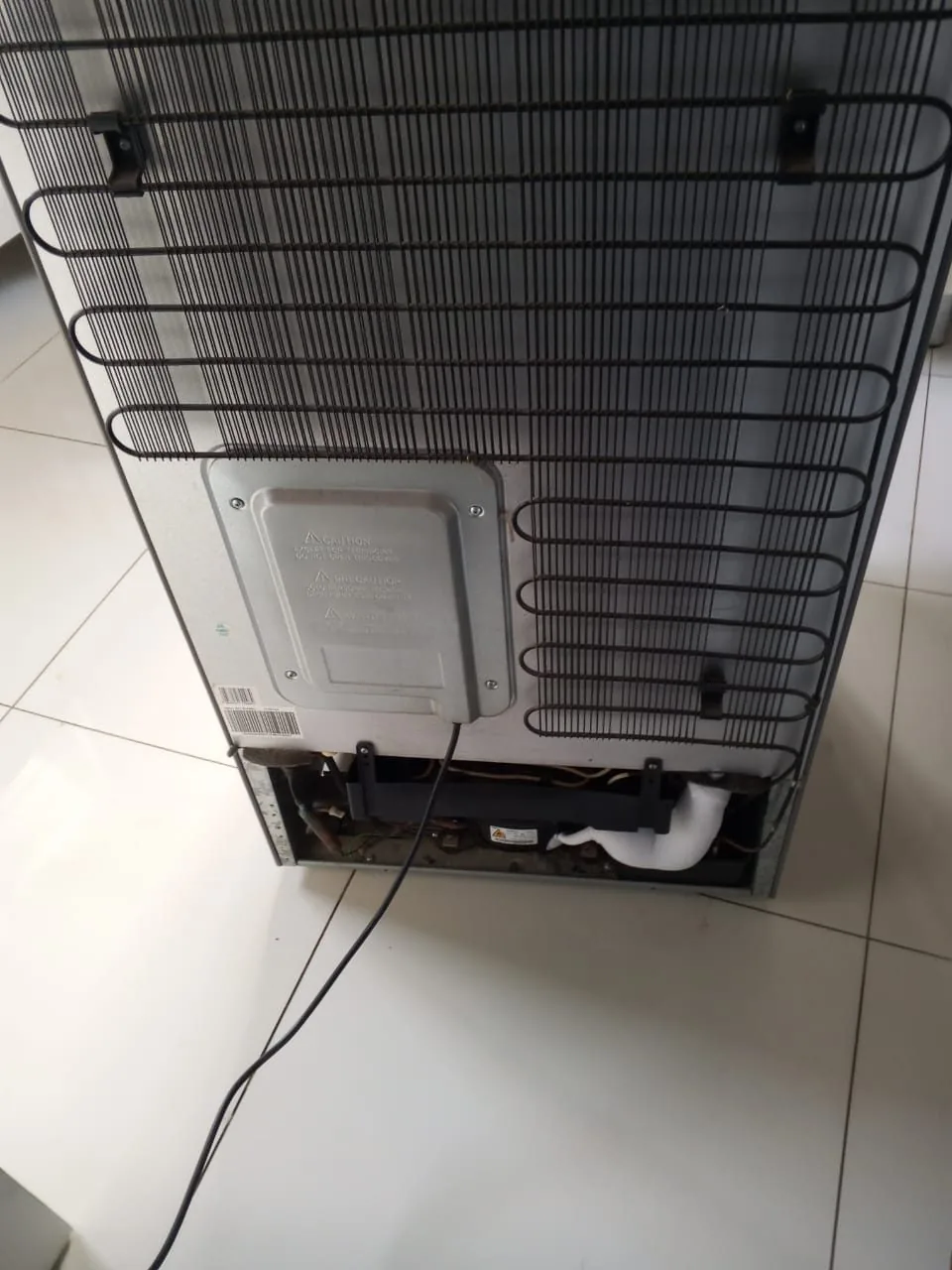
Refrigerator opened for appliance diagnosis
Hands-on samsung appliance repair and diagnostic work by our technicians.
Fast booking

Book Samsung Appliance Repair in Ballito

Send the fault details now and we will confirm the earliest available visit.

Request an appliance repair

Tell us a little about the problem. Our team will contact you to arrange the next step.

✓ Open daily 07:00–18:00✓ Durban & selected KZN coverage✓ Call 079976 2941By submitting, you ask us to contact you about this repair. Privacy · Booking policy

Before booking in Ballito

Practical advice for a clearer diagnosis and an easier booking

These details help us understand the problem and prepare for a more useful first inspection.

What the symptoms can tell us

Every repair starts with what the appliance is doing, what it should do and which function has stopped. We use that difference to plan appropriate checks. An accurate symptom description also helps avoid unnecessary parts replacement or repeated visits.
What to do safely before a visit

Stop using an appliance showing smoke, electrical arcing, strong burning odours, a suspected gas leak or uncontrolled water leakage. Safety takes priority over completing another cycle.

What to include with your booking

When you contact us, include the appliance type, make or model if available, the exact address in your area and the time the problem began. A photo of the display or affected component can often help.

We serve customers in Ballito and selected surrounding Durban areas. Learn how repair pricing works, or contact us to arrange a visit.

Samsung Appliance Repair in Ballito

Error-code diagnosis: the checks that matter before we repair

Samsung appliances often display an error code when a sensor, drainage, door, cooling or control condition is outside range. We use the exact code together with the physical symptom rather than replacing electronic parts from the code alone.

For a Ballito booking, send the brand/model if known and describe what happens from the moment the appliance or system is switched on until the fault appears. That sequence helps us prepare for the right checks.

What are you seeing?

What we check when the problem involves error-code diagnosis

The symptom pattern guides the order of diagnosis so we do not replace parts before confirming the cause.

Error appears immediately

Door, sensor or start-up conditions may be preventing operation.

Code appears mid-cycle

The point in the sequence helps identify filling, draining, heating or drive conditions.

Code clears then returns

Intermittent wiring, sensors or component performance may be involved.

Several codes appear

Power/control conditions or one underlying fault can sometimes trigger more than one message.

How we diagnose the problem

Our diagnostic path for error-code diagnosis

We work from the symptom toward the failed system and explain the findings before the repair proceeds.

01

Record the exact code

A photo of the display prevents letters/numbers being misread.

02

Send the model number

Samsung code meanings can differ by product range.

03

Check the affected function

We test the physical system the code refers to.

04

Confirm the cause before parts

The code guides diagnosis but does not replace testing.

Useful before the visit

Details that help us diagnose Samsung Appliance Repair

The more precise the symptom, the easier it is to prepare the right checks for your appliance or system.

Describe any power event

If the problem started after load shedding, a surge or repeated tripping, include that timing so supply and control checks can be prioritised.

Photograph any error code

A clear photo avoids transcription mistakes and gives us the exact code shown at the time of the fault.

Do not order parts from a symptom alone

Two different component failures can produce a similar symptom. We identify the cause before recommending a part purchase.

Practical guidance

Keep the error code before resetting

A Samsung error code can disappear after power cycling, taking useful diagnostic information with it. Photograph the display first and send the full model number because the same letters/numbers can mean different things across product ranges.

Photo the display

This avoids mistaking similar characters.

Photo the model label

Product codes matter for code interpretation and parts.

Describe what happened before the code

The operating sequence helps verify the fault.

Avoid repeated resets

Intermittent faults can be harder to reproduce after repeated clearing.

Useful fault details

Details that help us diagnose samsung appliance repair correctly

When you book in Ballito, tell us what changed, what still works and when the symptom appears. Those details help us decide which checks come first and whether the problem is electrical, mechanical, airflow, control or refrigeration related.

Exact model identification

Samsung appliances can use different pumps, sensors, heaters, motors and boards across models that look almost identical. We ask for the full model code from the rating label before parts are considered. That reduces guesswork and helps us prepare for the correct appliance design.

Samsung washer error codes

On a Samsung washing machine, the displayed code and the point where the cycle stops are both useful. We check the system linked to the code and confirm the actual fault rather than replacing a part from the code alone. Send a photo of the display if the code is easy to misread.

Previous Samsung repair history

If a component was recently replaced, include that information when booking. A repeat symptom does not automatically mean the same part failed again. We check the current condition and the system around the earlier repair so the next decision is based on evidence.

Noise from a Samsung appliance

New buzzing, clicking, grinding or fan noise can narrow the diagnosis when we know exactly when it occurs. Tell us whether the sound appears during compressor operation, draining, spin, fan operation or another cycle stage. We use that timing to test the right component group.

Our repair work

Hands-on repairs by our technicians

We inspect the appliance, access the components that need attention and test the repaired function before the job is complete.

Book Samsung Appliance Repair in Ballito

Book samsung appliance repair in Ballito

Send your Ballito location, brand/model if available and the exact symptoms. Include any earlier repair or recharge history that relates to the same fault.

  • Ballito address
  • Brand and model if known
  • Exact fault sequence
  • Any error code, noise, ice, leak or trip
  • Previous related repair history

Nearby coverage

TongaatUmhlangaVerulamLa Lucia

More repair services

Ballito Samsung Appliance Repair

Common questions

Answers about the faults we repair and how to book.

How do I book samsung appliance repair in Ballito?

Call or WhatsApp 079976 2941, or use the booking form. Send the exact location and a clear description of the fault.

Why do you ask for the model number?

The model helps us identify the appliance or system design and prepare for the correct checks and parts where required.

Do you test the fault before replacing parts?

Yes. We diagnose the failed function first and explain the repair once the cause is confirmed.

Book in Ballito

Arrange Samsung Appliance Repair

Tell us your location, appliance, brand or model if known, and what has gone wrong.

Phone: 079976 2941

Request an appliance repair

Tell us a little about the problem. Our team will contact you to arrange the next step.

WAWhatsApp BookingSend photos & fault details
Call WhatsApp Book Form